@matt I was just trying to duplicate your dynamic range graph using my cosmos apu as I was never able to get a QA480. it is a 30db notch with 26db gain after that.I must be doing something wrong but not sure what. no weighting enabled.
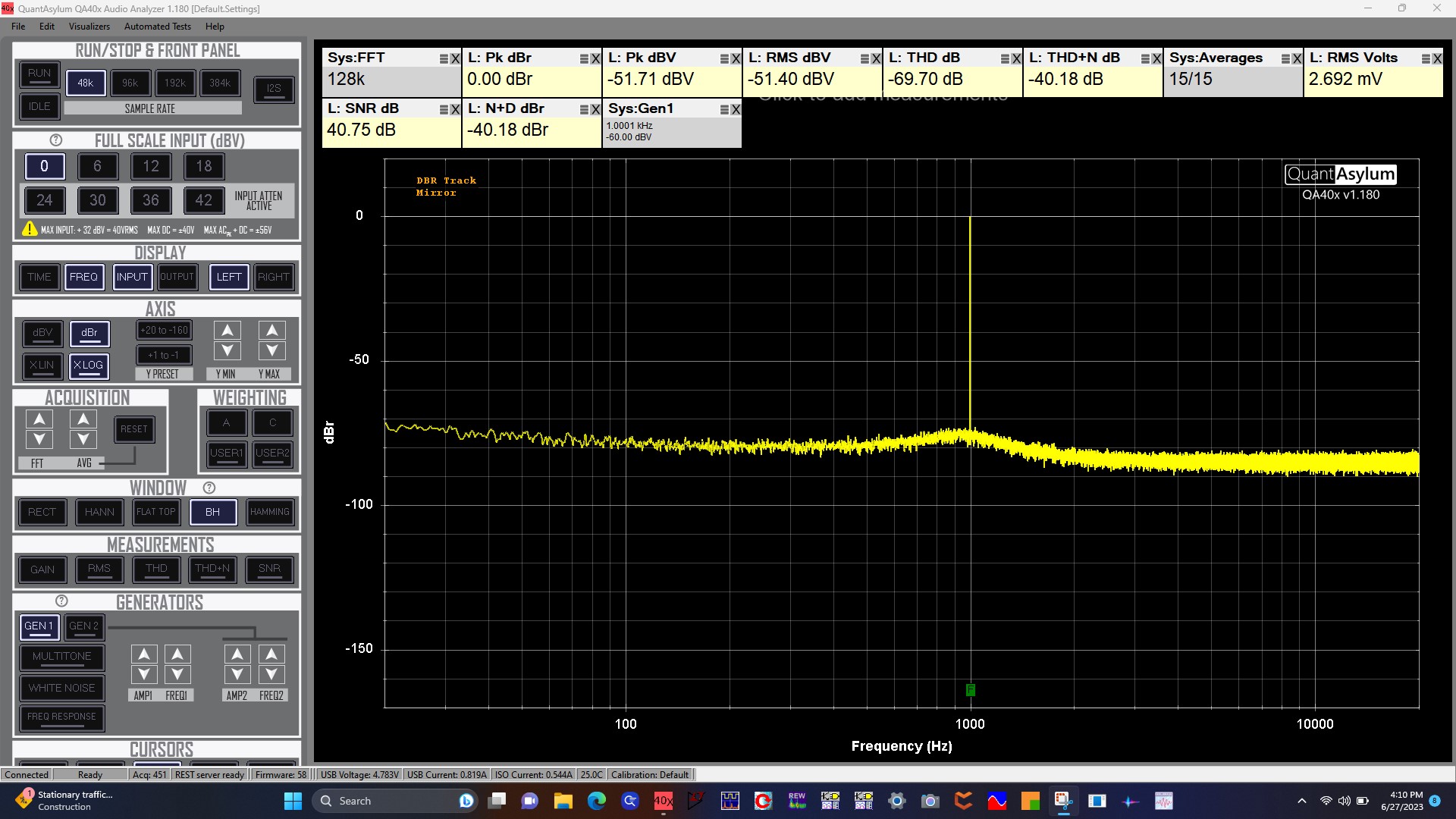
I don’t have an APU, but if you set the DAC knob to 0 dB, and set the mirror to active, and set the generator to 0, then without the APU in the picture you should measure 12 dBV (probably about 4.2Vrms, which is a bit more than 12, but close enough for now).
And then, with the APU inserted, that 12 dBV would become 12+26 = 38 dBV. So, set your reference to +38 dBV:

Now, of course the APU hardware won’t generate a signal that large becuause of the notch and because it wildly exceeds the rails. But that’s OK, because we’re interested in understand noise and distortion relative to full scale output.
And then, you can look at “NoisePlusDistortion DBR” (Not DBV!) to see what the residual is. Can you show that measurement?
And if that doesn’t look as expected, then disable the 6 dB gain (keep the 20) and try again with reference set to +32 dBV.
And then, try again with no gain (set reference to 12 dBV) and try again.
The Thesycon driver is asio right? I wonder how that plays in the scheme of things.
No, it’s just a windows driver. I had used the E70 without installing it, but could never get get performance via any windows interface. I had to use ASIO. But after installing Thesycon, it improved in some modes.
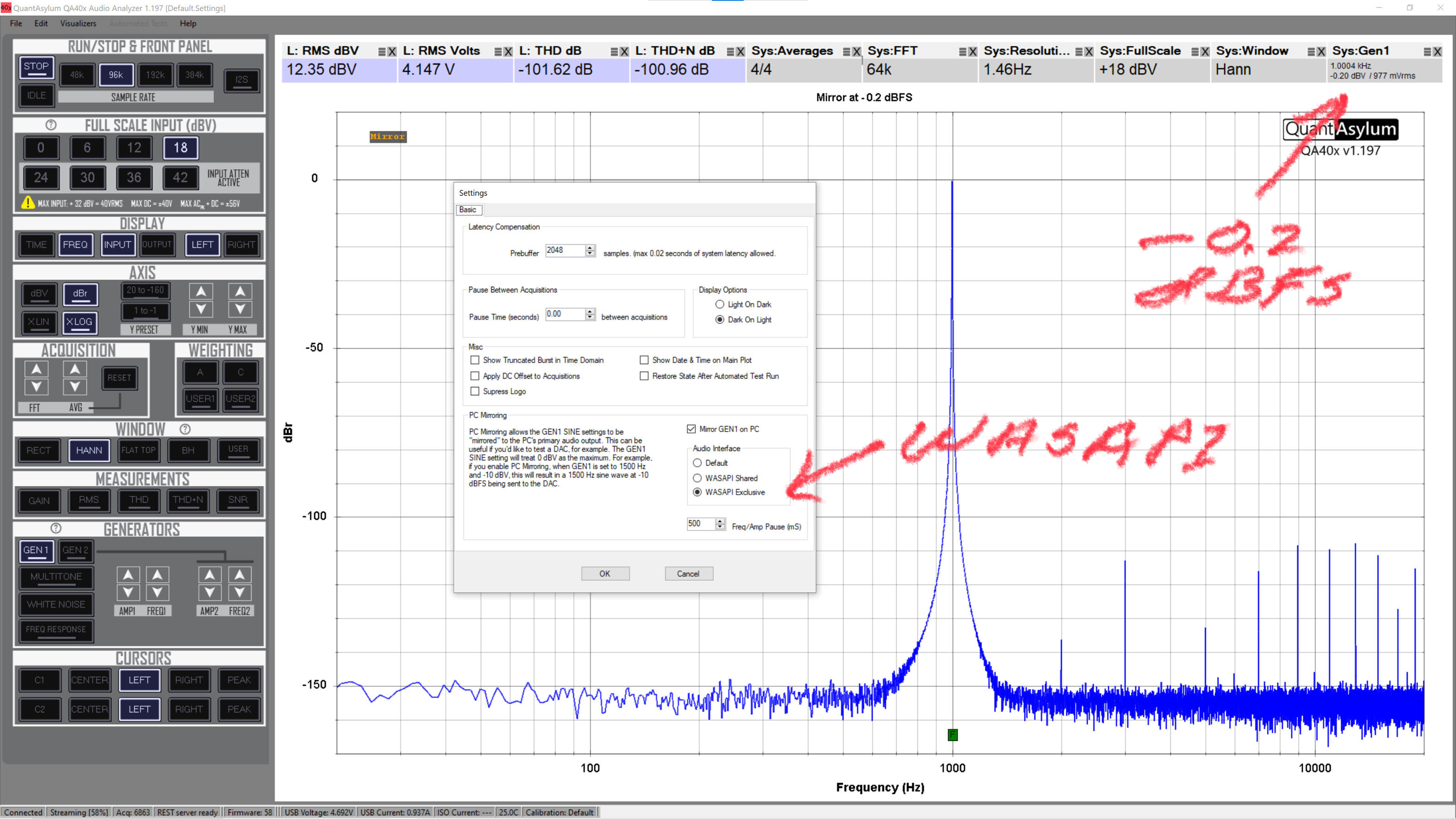
The new Audio Interface mode selection in the next release is shown below. Normally, the QA40x app will use the default interface (and it’s not clear how Windows decides). But with the change you’ll get some options on which interface to use. The problem is the better interface on paper (WASAPI Exclusive) seems not so good in practice.

@matt should dbr track be set to 0?
Turn tracking off. You dont’ want to track: You want 0 dB to be the full scale output of the E70. Since the E70 max output is 4Vrms=12 dBV, and since the APU has 20+6 dB of gain, you’d set the dBR reference to be 12+26 = 38 dBV.
Thx. That was the problem. My numbers look like yours now.
Trying to do the thd+n vs level seems to be a problem. -10 to -1 in 1dbv increments works fine. Just trying -10 to -1 in .5 dbv increments hangs the program. Sometimes if I wait long enough I get an error dialog that says something about exceeding memory.
Occasionally I have to reboot to use it again.
Any ideas. I’m using the latest 1.180.
Hi @Moto, good to know. There is a new plug-in coming in 1.18x that will make DAC testing very easy. It has extra settings, including notch gain and also the ability to force Windows System Volume to 100% before starting the test.
i also saw the issue you note with increments less than 1.0 dB. I think those were getting rounded to a 0 dB step, and so the test was never able to be finished and that was what was causing the hang.
Side note: If you look at the windows volume curve, it make almost no sense. From 100 to 50 will drop you 11 dB, but it’s not even across all the ranges. For example, 100 to 90 is different from 90 to 80. In any case, not having system volume at 100% causes a big problem for DAC testing.
Any idea when the new release will be out?
Oh and how did you do -1dbv to 0 in .1 increments then in the graph a few posts back?
Hopefully next week.
The plug-in for the DAC test is below. The audio interface settings might go away. But to do -1 to 0 you’d set as shown below.
The Measure Notch Depth will step a tone through the notch at the Probe Amplitude level to determine the deepest part of the notch. But that might be replaced with a frequency you specify.

There’s also a DAC linearity plug-in coming in the next release. This allows you to make plots to check the DAC amplitude linearity. The error at 0 dBFS is real on my E70 unit. It was verified by setting output level to -1 dBFS, setting that to 0 dBr, stepping down (-2, -3, etc) to confirm the precise 1.00 dB steps. And then moving from -1 to 0 dBFS and seeing it fall short of a dB. Curiously, this happened in both 4V and 5V full scale modes (see the manual to select one or the other).


I’ve been trying to understand a discrepancy using “Mirror” mode to control an external DAC when the level is set to 0.0 dBFS. Doesn’t seem to make any difference when I changed the data word size or the bit rate. My test involved using REW Signal Generator and/or QA Mirror to implement the 1 kHz test signal.
When I reduce my test signal to -0.5dBFS (or less) I get identical results with both generator implementations. Spent some time investigating “Microsoft Sound System” and tried it on both a Windows 11 and a Windows 10 laptop and concluded that is not something I selected accidentally. I’ve attached 4 screen-captures, first 2 (A&B) is at 0.0 dBFS and the second 2 (C&D) is at -0.5dBFS.
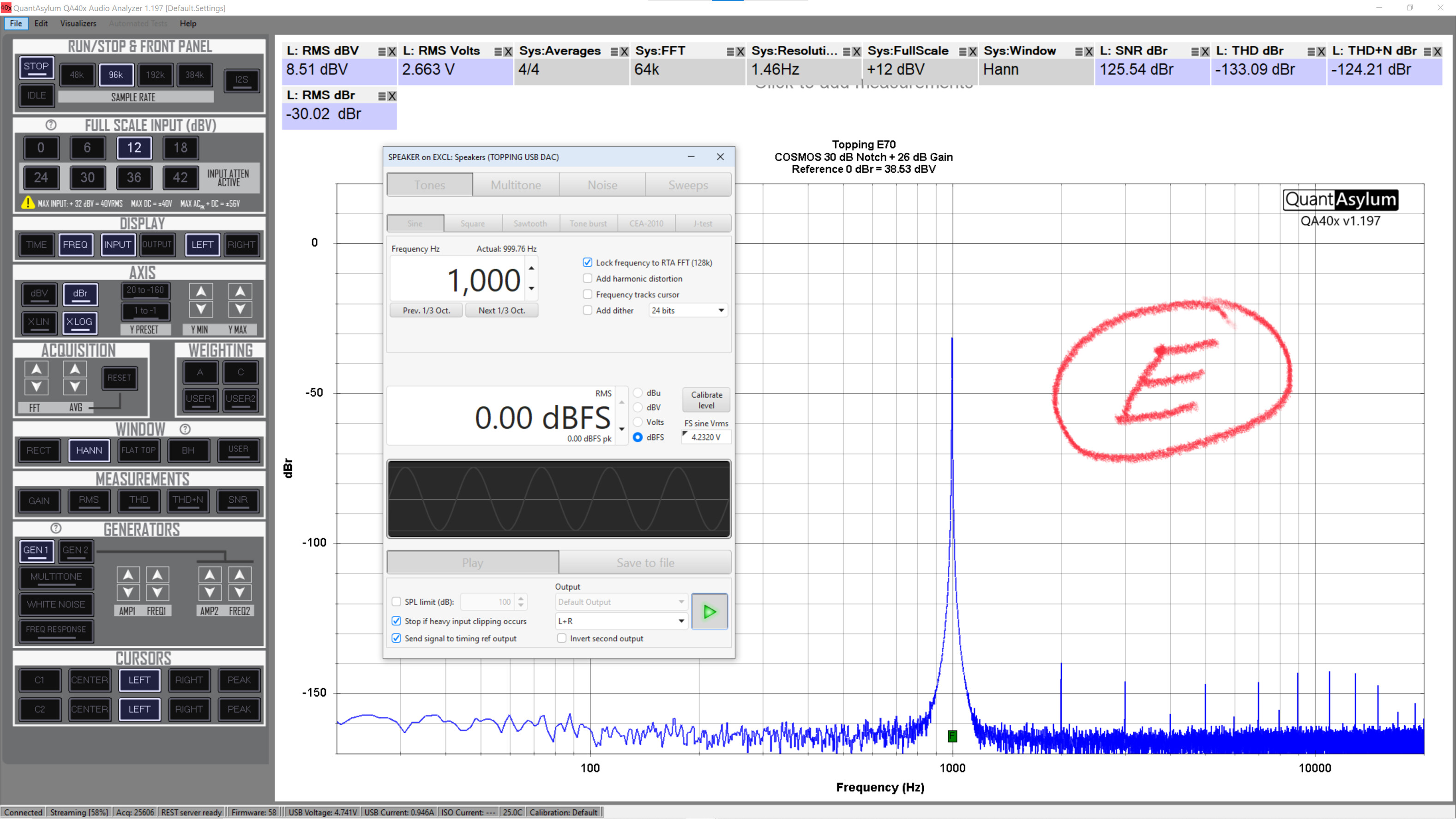
The DAC that I’m using is a Topping E70 (ES9028PRO version), but I’ve also tried different DAC’s with identical results. I’ve also included a 5th screenshot (E) showing the result using my Cosmos 30 dB notch using 26 dB gain - most excellent. I’m waiting patiently for QuantAsylum to release their new QA455 notch. I’ve been able to work around the “Mirror” problem, but it sure would be nice if it was fixed or at least identified as to the cause.
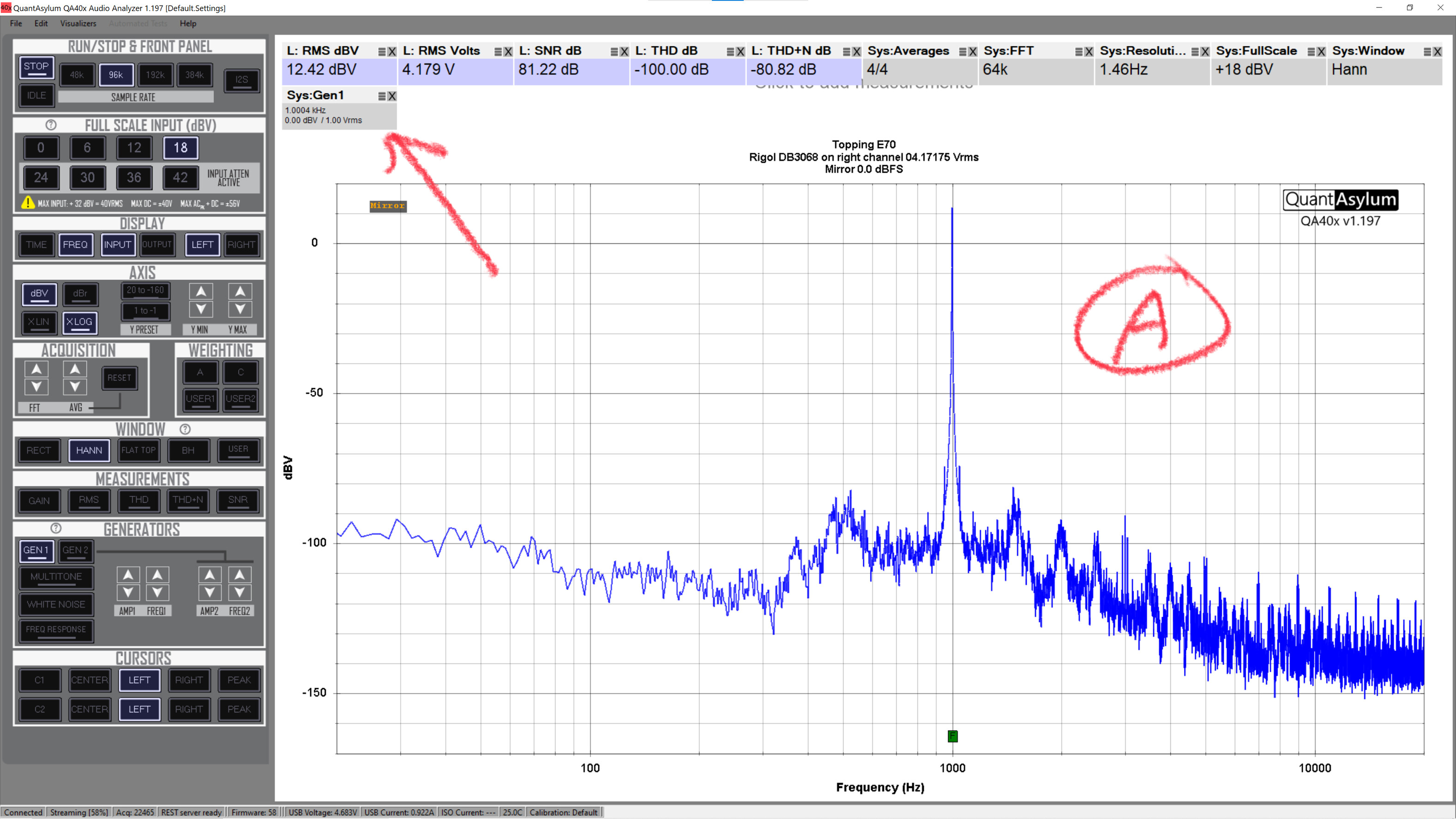
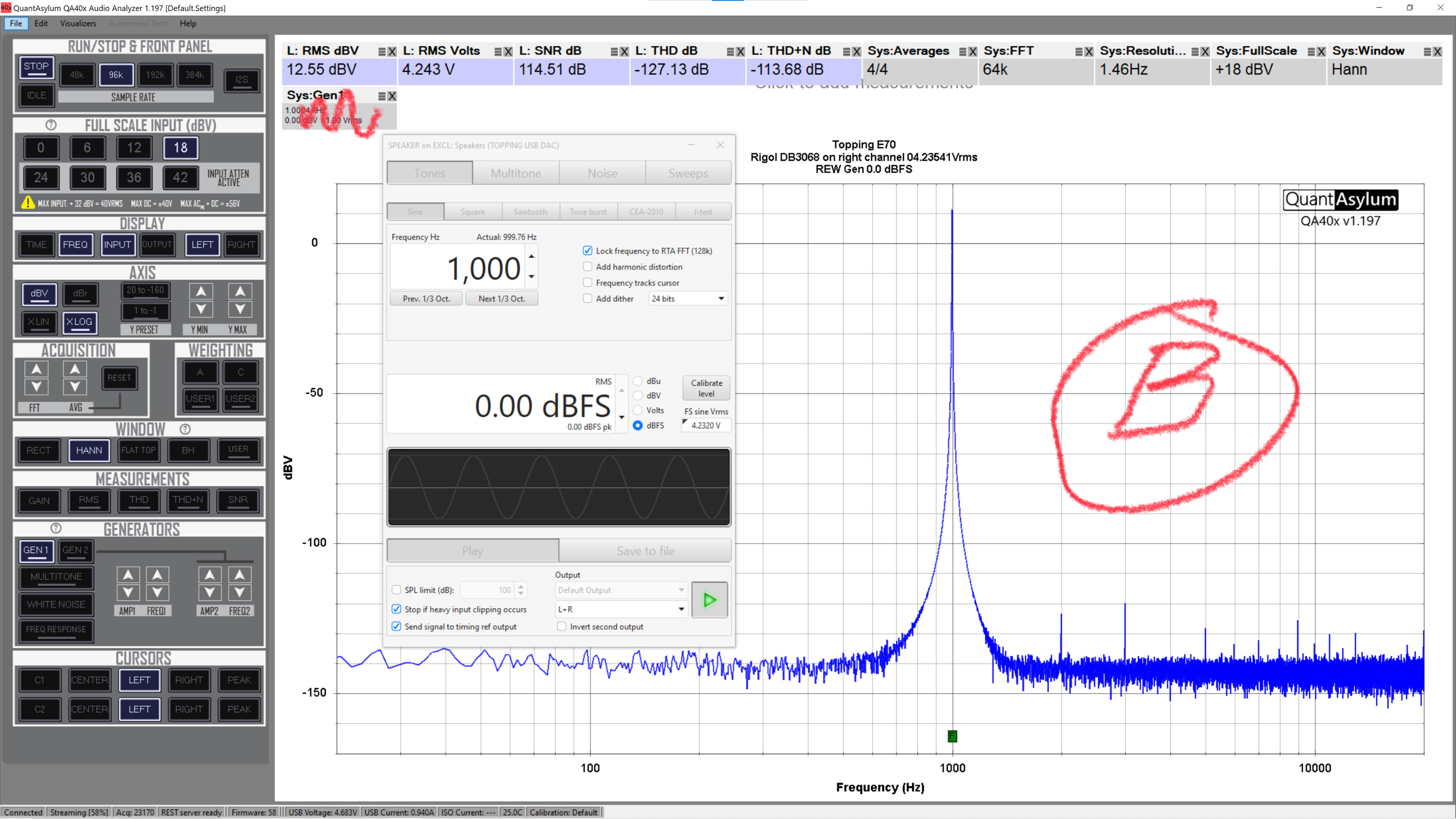
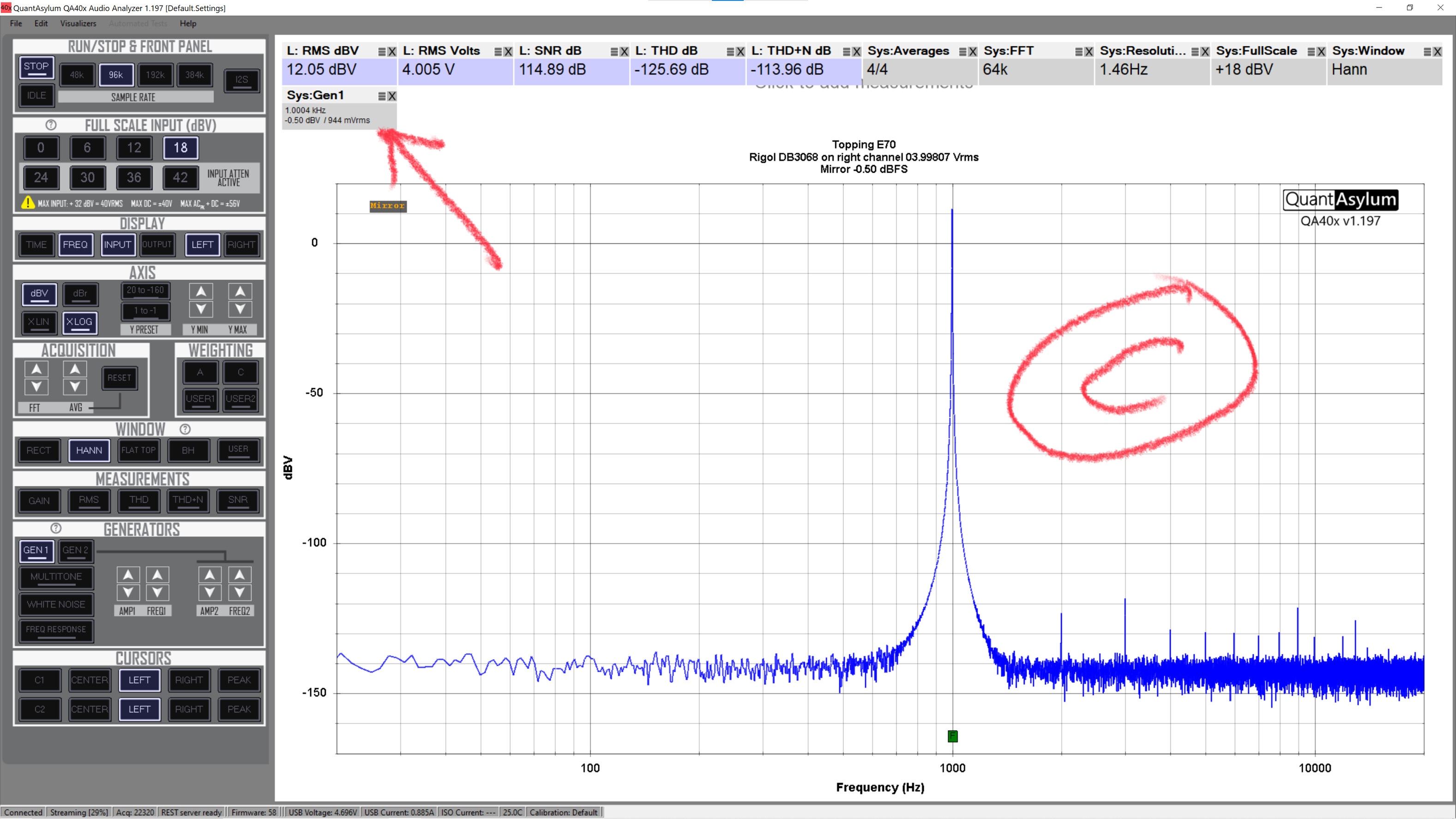
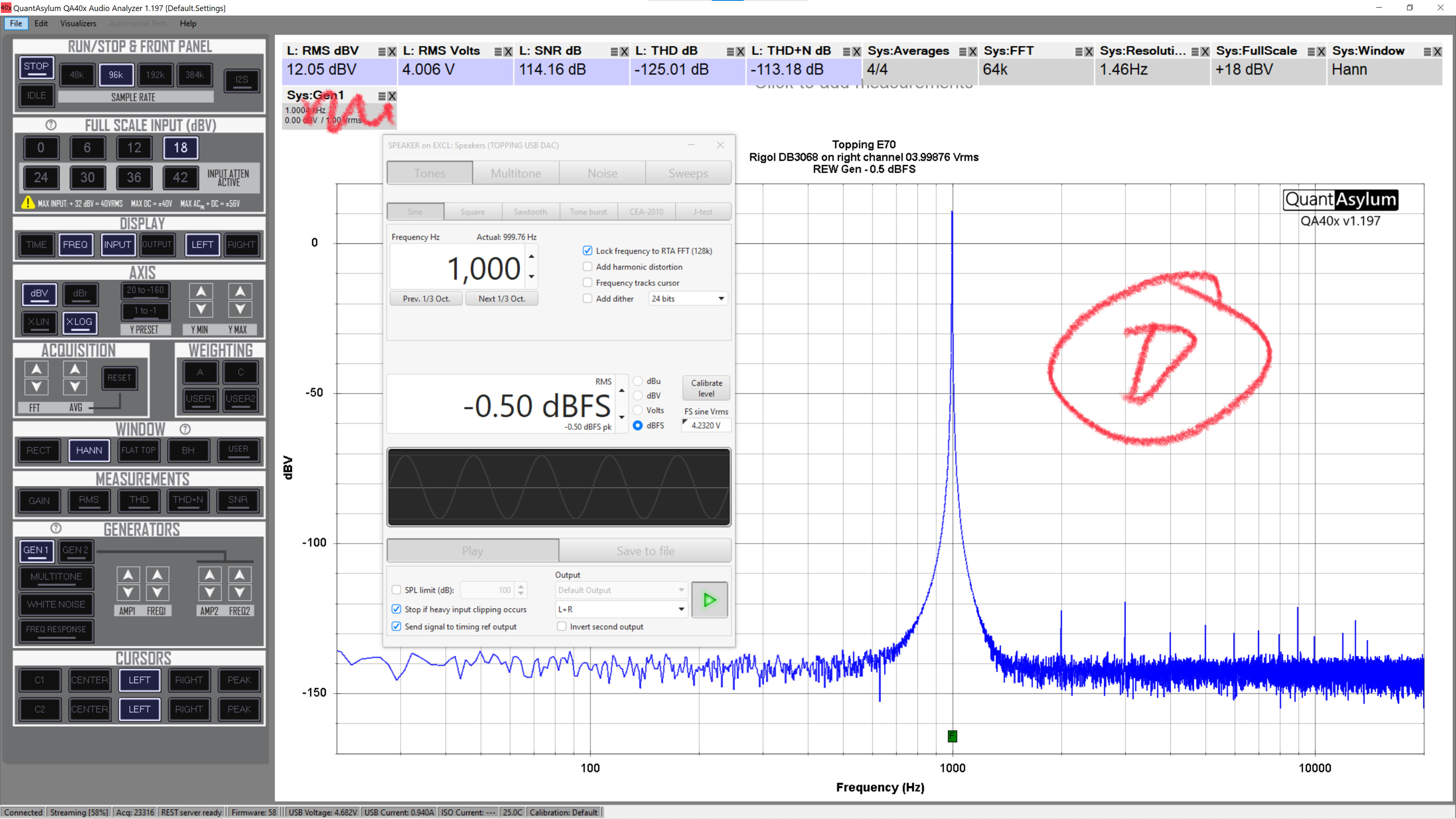
I don’t think I understand your problem. In all cases, reducing your dac ouput by .5db shows up correctly in the rms voltage. Its unlikely that reducing dac output by .5db is going to change thd or thd+n very much. In some cases it would improve those numbers.
I’d say something was amiss in cabling in A.
Moto thanks for your feedback.
My problem is that Mirror becomes distorted when set to 0.0 dBFS. Reducing from that level, even 0.25 dB, reduces the distortion significantly. Also, if you read the captions showing the RMS voltage (DM3063) on the right channel, it’s incorrect at 0.0dBFS.
I do agree with your comment that THD and THD+N are in close agreement. That’s why I called it a discrepancy Instead of a problem in my original post.
Your third point was about cabling – they remained unchanged between A,B,C & D. The only time any cables were changed was making measurement E.
It is typical for a dac to produce better results a small amount diwn from 0dbfs so I dont think thats an issue.
I only see left channel rms voltage measurements.
In QA when you mirror and set output at 0dbv, it means 0 dbfs. You show in REW 4.23v being 0dbfs so -.5dbfs is 4v rms which is what you show in the rms voltage measurement.
What is different in A then? Something odd there.try using same frequency in QA that REW used. Also different dac driver is being used in REW vs QA. Try -.1db in QA instead of 0dbfs. Could be just the driver difference.
But it isn’t distorted when measured using REW Signal Generator in B at 0.0 dBFS and the voltages on the right channel on the DVM agree 100% in the caption just below the QA measurements.
Also, I am well aware that some DAC’s show better results when down from 0 dBFS.
See driver comments. And check at -.1dbfs
The attached 4 screenshots are at 0, -0.1, -0.2 and -0.3 dBFS using Mirror. As you can see the distortion drops significantly at -0.2 dBFS. From my very start using Mirror in QA was that the problem was the driver issue with either MS or QA because REW Signal Generator doesn’t exhibit the same problem using the same DAC, cabling and QA403.


Moto, I do appreciate your feedback and it does help thinking out this problem out loud. I’ve been retired from the Aerospace/Aviation industry for 12 years now. When I would hold project reviews with my staff, the admin’s would always complain that we argue too much. I believe it’s just working through a problem.