Hello Matt, download the latest QA403 Software this day, and tried the DAC Linearity Measurment.
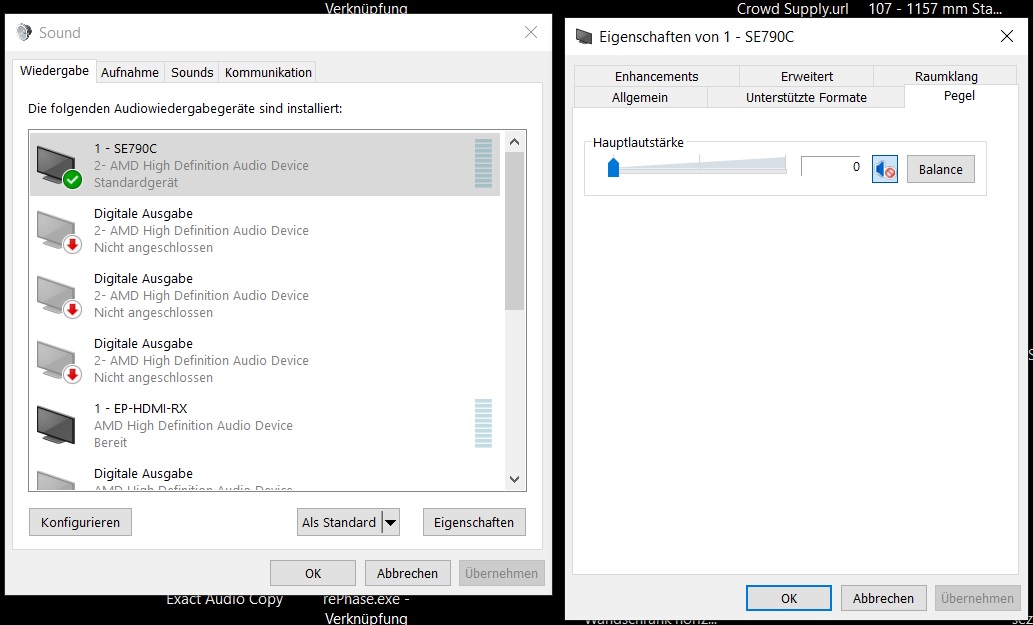
I disselect the “Force the System Volume to the Max” and Put the Volumelevel on Windows to lowest Level!
After hitting the Start Button my Ears are blown away, it Moves the Windows Volumeslider still to the Max!!!
So what for is this Selecting Box than??? No function???
Thats realy bad, also for my Nighboure 

My error, starting Point still at -10dB LooooL Sorry
Sometimes the Error sits in the Middle of the Ears LOOL
I disabled the Geneator mirror to Windows thing before too but this Measuring aktivate it withou Warning again, thats not realy funny.
You realy need to know how Windows settings are made to avoid Eardamage LOOOL
Still strange, now i change the Starting Point to -30dB hit Start and no Sound at all from Start to the End ???
So, not sure why it happen the first Time than!
Still Generator Mirror not aktivated like first Time, only thing i changed was Starting Point from -10 to -30 for now:

Closed the Software and Started again after changing Windows Defoult to TOSLINK Out, also Volume to 0!
Started the Test again and all run’s like it should, Windows Sound was not moving up like it should with Mirror Disabled!
Seems only first Time Error / Bug!
Is there an new Firmware, i have still V60?
I wish i could select an Audiohardware at the Generator Mirror enabled button Page. So i don’t need to switch the Defoult Device (My Monitor Speaker) every Time i use the QA403
Like on the QA40xPlot Software
And by Defoult no Device is aktive at first start!
And if you start the Automatic Measuring thats need to aktivate it, you will get an Message that you need to aktivate it first