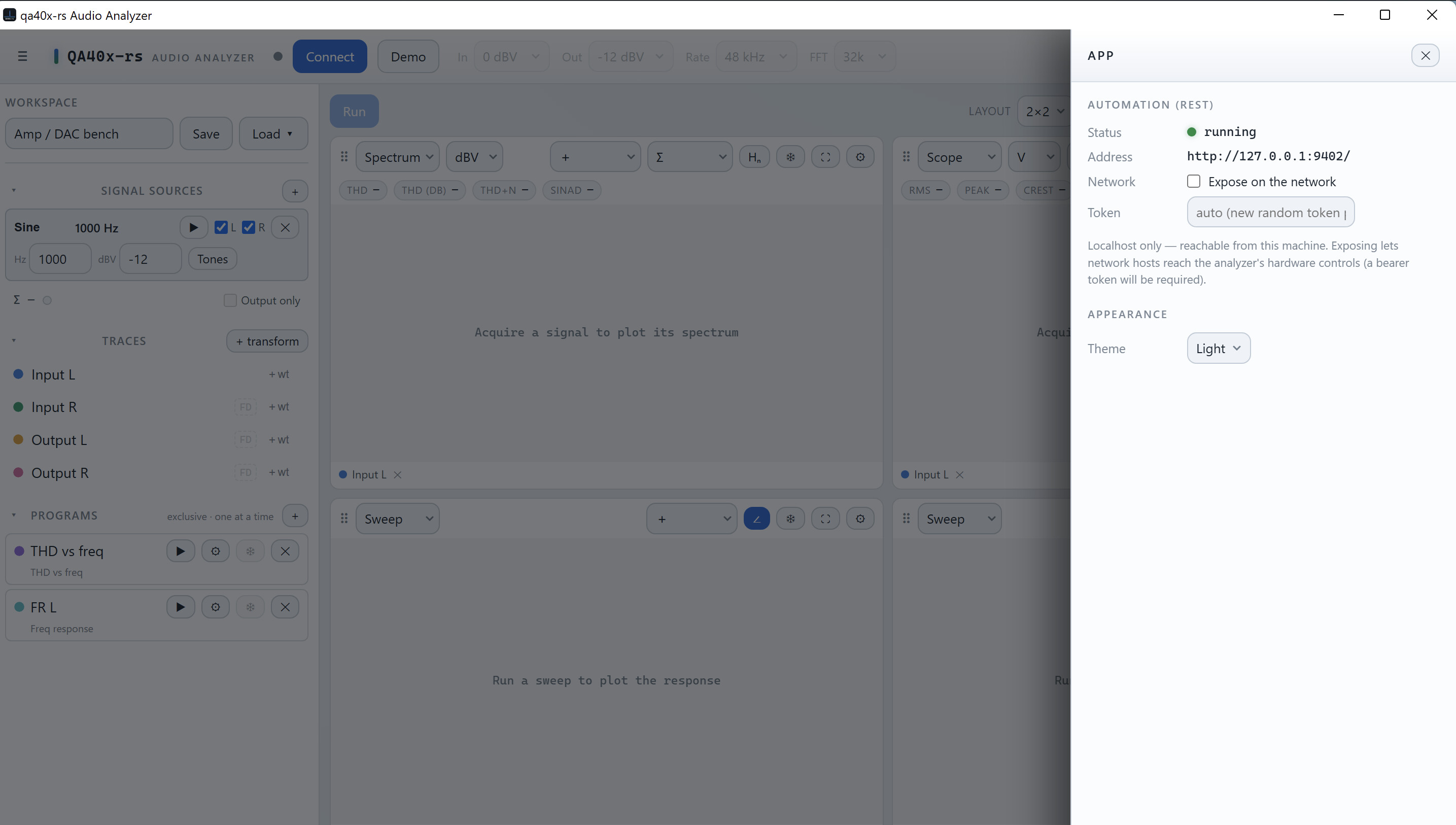
I’m a QA402 owner and I’ve built an unofficial, open-source desktop app to
drive the QA402/QA403 from macOS/Linux/Windows — a from-scratch Rust + Tauri
implementation of the USB protocol, with spectrum/scope/THD/frequency-response
measurements. It’s called “qa40x-rs” (named to avoid any confusion with your
official software) and I may release it under a permissive MIT/Apache
license when the features and tests will become satisfying (at least for myself).
Before I publish, I wanted to give you a heads-up and check you’re comfortable
with it. A few points I’ve been careful about:
It’s clearly labelled unofficial / not affiliated with or endorsed by
QuantAsylum, and it credits your PyQa40x / QA40x_BareMetal references.
It does not bundle any of your firmware or software — the firmware
helper only reads an installer the user already downloaded from you (or can download from the github release page directly in the app), verifies
it against known hashes and its signature, and (with explicit confirmation)
flashes it. Nothing of yours is redistributed.
I’d gladly add any wording or disclaimer you’d prefer, or adjust/gate the
firmware feature if you have concerns there.
Is there anything you’d want changed, or anything I should be aware of? Happy
to share the repo privately first if that’s useful.
Thanks for making great hardware — and for the open reference material that
made this possible.
That’s great! I’ve been a Mac user since 1985 and much prefer Macs to PCs. I have no programming knowledge at all, so any intuitive “point and click” interface that makes it easier and user-friendly (especially on the Mac) is very welcomed!
That’s great to hear! Fellow Mac user waiting for public release.
The one thing the current version of the official app is missing is the ability to do full loopback tests of USB audio interfaces (full frequency response, THD+N, dynamic range). If your app will be able to do that that would be a real gamechenger.
I’ll open the source as soon as I get something useable and with numbers looking ok. The main idea behind this development was curiosity and also rendering mac usage more friendly but it looks like that the V2 by QuantalySum may solve this(?).
@piotrmdaniel as I’m not an expert would it be possible that you detail what you are missing, I’m not sure I fully understand that. You mean that you want to measure an audio interface you have at your disposal and you want to get the same QA40x features with out of your audio interface plugged in the input of this interface?
Precompiled builds are available on the releases page:
For macOS, there are two DMG files:
One for Apple Silicon (current platforms)
One for Intel Macs (legacy) — I haven’t personally tested this one
I want to be upfront that this is a personal project, coded in about four weeks with the help of AI. It’s very likely full of bugs, so please take the results with a healthy dose of skepticism
My main goal was to be able to use my analyzer easily on Apple platforms, and to be able to flash my units without having to go through a Windows machine. I’ve successfully tested flashing on my QA402. I don’t have a QA403 on hand, but simulating the flash process using my own QA40x simulator (another project of mine) against both the official QuantAsylum app and mine seems to check out. QA403 flashing is currently disabled in the project’s builds for now.
If any of you are willing to give feedback, ideally via GitHub issues, I’d really appreciate it. And if it turns out everything here is wrong, please say so too — the goal isn’t to add extra noise. QuantaSylum’s v2 app looks very promising, and they’re the real specialists here
You’ll notice a lot of the UI concepts are close to what QuantAsylum seems to be moving toward for their v2: the idea of traces and transformations, and the ability to drag and rearrange graphs. There’s also a notion of workspaces that you can load and customize to run different types of benches.
Again: don’t trust any of it too much This is a very fresh, no-frills release.
One word. WOW. Very nice. I used the X64 msi installer and it hung half way through. I killed the process and the install seems to have worked anyways.
So far: Averages (X8 etc) do average but return to no averages on the 8th average…then the averages start again.
Does the App menu (top left-hand corner) work? (Mine does not) or is it because of the possible incomplete install.