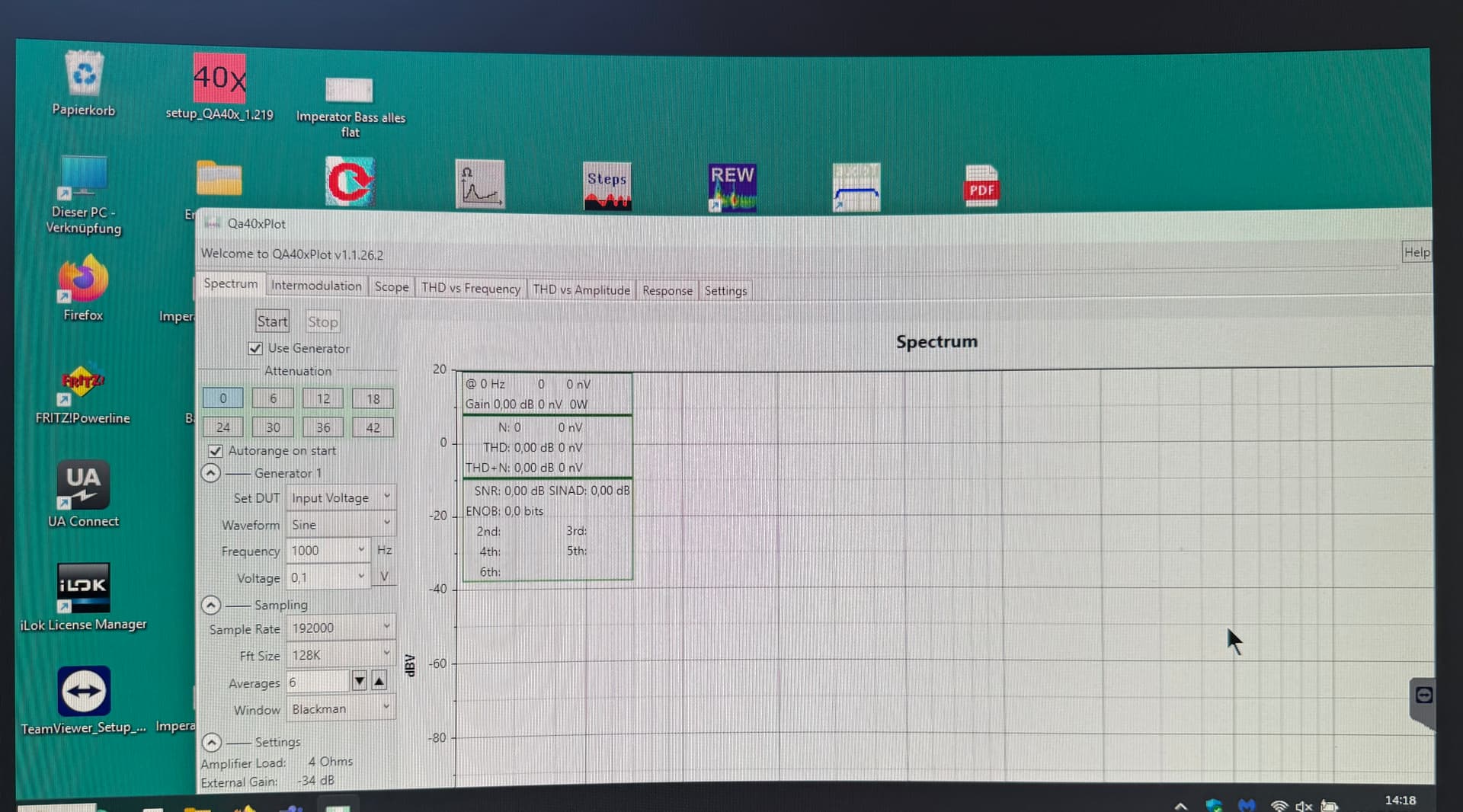
But it doesn’t work. Window nearly maximised

App closed and started again
Please don’t worry, it isn’t urgent, something for a future fix. I cant’t see the max button and have to move the window for maximizing, thats all.
@MarkZ- Thanks for adding the ability to move the info summary windows around!!
IMD in QA40x Plot
Hi Mark,
I have been digging into the calculations made by QA40xPlot.
REW is different there, as it considers d2 components only in this case (this is also what the help file actually says). That made the IMD reported by REW 6 dB lower (-53 dB) vs. -47 dB with QA40xPlot and ARTA in my side-by-side comparison.
ARTA result is in this case by 6 dB higher (-57 dB), which seems plausible if ARTA would use the SMPTE/DIN method, namely rms summing f1 and f2 (instead of arithmetic summing in CCIF) and also arithmetic summing both components within the same order before doing the rms summing for the different orders. My math arrives at -58.4 dB with the data from QA40xPlot then. It’s different from what ARTA User Manual says. ARTA user manual says that IMD in this case were reported according to the power method, which isn’t the case.
In summary…
QA40xPlot looks essentially allright now for IMD.
I saw a minor glitch though:
While d2L and d2H are correctly linked to the corresponding voltages, in d3L and d3H, as well as d4L and d4H, and also d3La and d3Ha voltages L and H are swapped each.
I am assuming that “L” stands for lower frequency relative to the reference frequency and H stands for higher.
@VAR - you’re welcome. Let me know if they glitch anywhere.
@cfortner - huh, it works for me. I wonder if it’s autosaving the configuration wrong or maybe it’s because your display is ‘small’-ish. I’ll look into it when I return from holiday and see about adding Max support
@captnaudio - thanks a bunch for doing this checking. You should see the correct labels since 1.1.26 I think.
1.1.27 just adds a plot line default color editor (see Settings). I may move that from Settings to each test to make it simpler.
Enjoy your holidays!
@cfortner I am getting the same issue on a smallish screen but on a large widescreen QA40xPlot opens full screen properly at startup.
I’m back from holiday. Just a note that the latest version 1.1.30 adds the following changes…
Noise weighting curves. QA40xPlot now supports A and C weighting in spectrum and IMD math. This applies the weighting for noise and other components, which seems to be the spec, but as a first pass there may be errors. This weighting is used for the Data Summary boxes but not the graphical spectral displays.
A new Edit Palette button on the right column for three of the tests to make it simpler to change plot line colors.
a Crosstalk test was added in the Response/Gain group. So, it’s not evident in the tab list but switch to Response and it’s in the pulldowns. This turns the left and right output channels on/off automatically to perform the test. This supports chirp and non-chirp testing but (particularly short) chirp tests are not that accurate at higher frequencies when crosstalk is minimal.
Window maximize state is now saved in the configuration and used on load.
An off-by-one fft bin bug was fixed in the cursor displays.
If you are averaging, the averaged data is now saved. Previously the saved data was always the last sweep.
Note that the onlline help has a link to a PDF showing most of the math used by QA40xPlot.
Mark
No. 4 works, thanks a lot!
Where is the latest 1.1.30 located?
I thought it had been mentioned that the program looked for updates, but mine doesn’t and the new version doesn’t seem to be here:
The latest release is always here-> Releases · MZachmann/QA40xPlot
For manual installation/update you have to use the page below. Download via Code button and extract and overwrite old installation.
But if you have internet connected machine, maybe try uninstall and reinstall from this link and it should update: https://mzachmann.github.io
Yes, @timoj is mainly correct. Use this link: QA40xPlot Installation Page
For more information: the updater is automatic nowadays. It’s a shell on top of the application. If you install QA40xPlot from the links at github.io it will create a shortcut on your desktop. This shortcut will automatically run the updater check each time you run the application - which can be a little annoying. If you run QA40xPlot and pin the visible app to your taskbar at the bottom, though, the shortcut will point to the underlying app, not the updater shell - so that shortcut starts up slightly quicker but doesn’t check for updates.
When you run QA40xPlot it should start up by saying “Verifying application requirements - this may take a few moments” - that’s the updater shell portion.
Mark
Unfortunately I can’t edit the early posts in this thread because the forum locks a post after a day or so.
Maybe @matt could edit first post and update the links?
Feedback requested: External Sound Output Device
I’m about to implement the ability to play sounds through standard windows media devices to enable using a different sound output device. Since I don’t have anything to copy does anyone - who is interested - have any requirements for me to consider?
The current implementation is simply a user switch that sends output to the windows media device as well as the QA40x. I’m just using the default windows output device and the selected sample rate and size for now. The sound data level is based off of 8V being maximum (the QA40x) so 1V→1/8 output for example.
Mark
I am very interested in this. Would this be the same as mirroring in QA 40x? I also have another question regarding full scale input and attenuation. What algorithm do you use When selecting the automated attenuation level? The attenuation levels will be different for best measurements of SNR and THD. For THD I get best results with about - 18 dB. For SNR the best results are as close to 0 DB as possible. Thanks again for all of this.
Ah, that explains it. I had the app pinned to my taskbar as a shortcut. Thanks for the explanation. Cheers.
At the moment, my code is fairly different from the mirroring implementation (which I just looked at for the first time).
a. I send whatever wave you define to the current output device(s), not just Sine waves and not just from GEN1.
b. there is an option to mute the QA40x while sending to windows audio to help reduce noise
c. I don’t have any ability to select shared or exclusive WASAPI, it just goes through the default device
d. I don’t know what the pause timing in mirror does, but I don’t, at the moment, do any time synchronization. I’m still at the generate.sound part of the implementation.
e. I currently have 8V as the maximum, not 0dBV but had planned on adding a user setting for maximum. I may rethink this and just use 0dBV like Matt - simpler and adequate.
f. Attenuation stuff isn’t part of this. It’s totally separate and still settable. This is just output device setting.
Mark
current GUI→
This may well work similar to mirror, possibly with the exception of the timing. When I connect a DAC it is seen as a sound card and seeing as the default sound output by windows. I think 0 dbv is a better option. I’ll let you know my results when your implementation is available. My attenuation question is not related to this. Thanks for the response.
The attenuation answer:
First, I find the gain (using 42dB attenuation and a smallish signal) in both channels, either at the frequency of interest for spectral and other single-tone tests, or by finding the maximum gain in the range of least to greatest test frequency using a chirp.
Assuming constant gain, the output amplitude is calculated for the test input. The required attenuation is then calculated, plus I leave a 5dB margin for error and overshoot. If you’re curious look at DetermineAttenuation in QaLibrary.cs. Once the attenuation is calculated I round up to the nearest available hardware attenuation and use that.
Mark
Thank you. I did look in the library. I see you are ScottPlot